Support
Need help with Habisty or NEXUS? Start here.
Download the app
Habisty is currently in private beta. Store links will appear here as each platform launches. Join from the home page or email support@habisty.com.
Note: This website does not create accounts or process subscriptions. Sign up, log in, and billing all happen in the mobile app.
Sign in
In the app you can use:
- Email and password (including password reset via the link sent to your inbox)
- Sign in with Apple (iOS)
- Sign in with Google (where available)
Use the same method each time so purchases and data stay on one account. If you linked Apple or Google after onboarding, your tracking stack and blueprint data are merged — not replaced.
Password reset and deep links use habisty:// URLs handled by the app.
Export your data
You can download a copy of your Habisty data in the mobile app (not on this website):
- Open Profile.
- Tap Export Data.
- Save or share the JSON file when prompted.
Export includes your profile settings, logs, journal entries, and related account data. Export requires an internet connection. To restore on a new device or account, use Profile → Import Data with the same file.
For access or portability requests you cannot complete in the app, email support@habisty.com.
Leaderboard display name
The global leaderboard is optional. You choose whether to set a public display name shown to other players. You can change or clear it in Profile preferences.
If you see a name that violates our guidelines:
- Open the leaderboard row menu → Report.
- Or Block to hide that user from your leaderboard view.
We review reports and may hide names or take action per our moderation process. Email support@habisty.com for abuse that needs escalation.
Restore purchases
Purchases are tied to your App Store or Google Play account. Restore happens inside the mobile app, not on this website.
- Install Habisty and sign in with the same account you used when you subscribed.
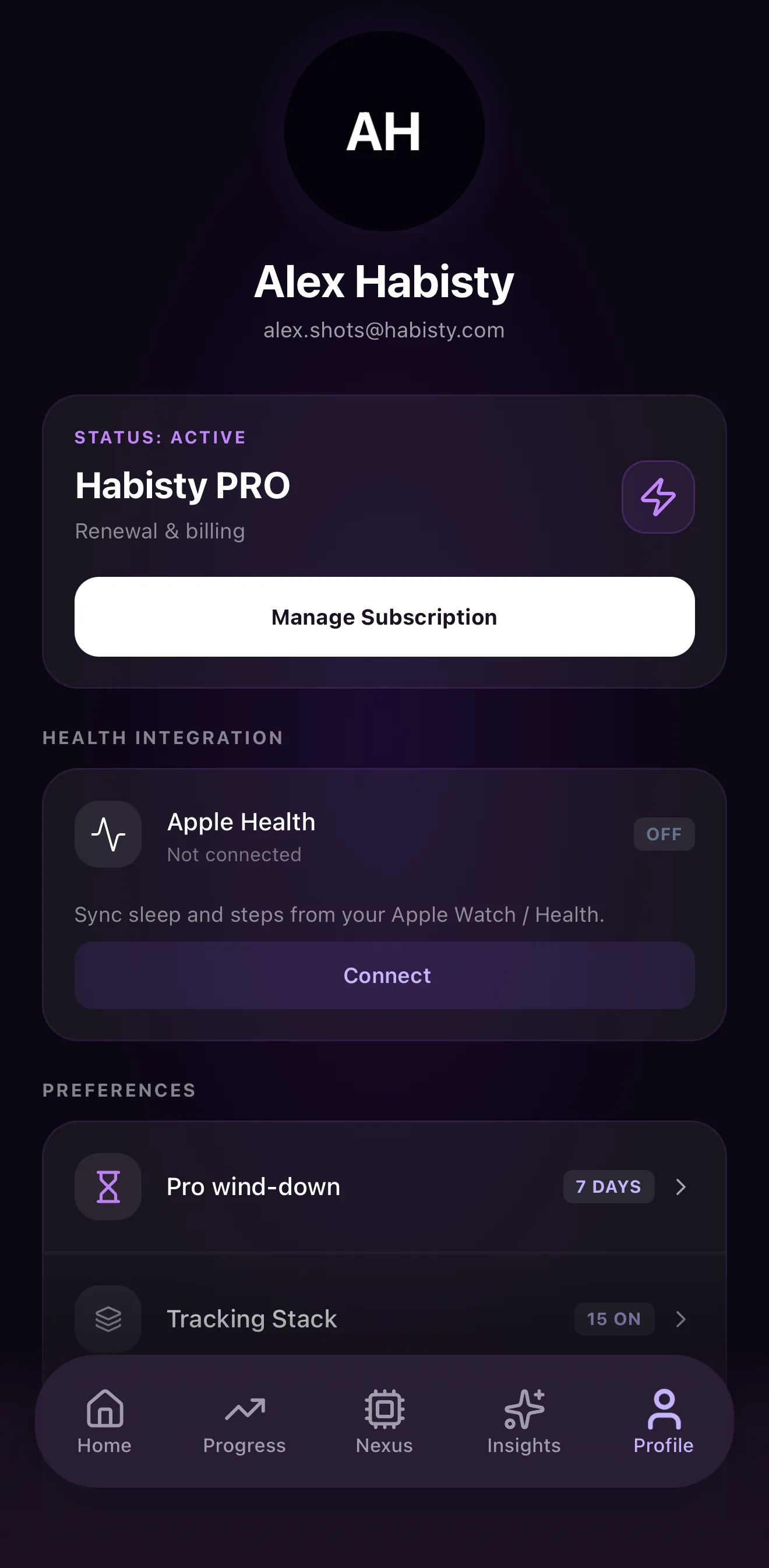
- Open Profile → Manage Subscription.
- Tap Restore purchases.
- Wait a few seconds for entitlements to sync. If Pro does not appear, check your store subscription list and try again.
If you still need help, email support@habisty.com with the email on your Habisty account.
Cancel your subscription
Subscriptions are managed by Apple or Google:
- iOS: Settings → [Your Name] → Subscriptions → Habisty → Cancel.
- Android: Google Play Store → Profile → Payments & subscriptions → Subscriptions → Habisty → Cancel.
Canceling stops future charges. You typically keep Pro access until the end of your current billing period or trial.
Change your plan
To switch between monthly and annual billing, open Profile → Manage Subscription in the app and follow the store flow, or change the plan in your device subscription settings.
Data deletion
You can delete your Habisty account and associated personal data in the mobile app. This website does not offer account registration or a web-based delete form.
How to delete your account
- Open Habisty on your device and sign in.
- Go to Profile.
- Scroll to Delete Account.
- Read the confirmation, then confirm deletion.
Deletion is initiated immediately in the app. Your ability to sign in and access stored logs ends once deletion completes.
What gets deleted
When you delete your account, we remove or de-identify data tied to your user ID, including:
- Your profile (email, preferences, subscription flags stored with us)
- Logs, journal entries, habits/metrics, and insights stored in our database
- Onboarding and blueprint data associated with your account
What does not happen automatically
- App Store or Google Play subscriptions are not canceled when you delete your Habisty account. Cancel billing separately in your device store settings to avoid future charges.
- RevenueCat / store purchase history may be retained by Apple, Google, or our billing provider under their own policies.
- Encrypted backups may retain residual copies for a limited period before routine purge (see our Privacy Policy).
If you cannot access the app
Email support@habisty.com from the address on your account with the subject Account deletion request. We will verify ownership and process the request in line with applicable law.
For full details on AI data handling, see Privacy Policy — Artificial Intelligence Processing.
Contact us
- Email: support@habisty.com
- Contact form: /contact
Frequently asked questions
Does Habisty provide medical advice?
No. NEXUS offers wellness-style insights and hypotheses for personal experimentation. Always consult a qualified clinician for medical decisions.
How accurate is the AI?
NEXUS uses large language models and statistical patterns from your logs. Outputs can be wrong or incomplete. Verify anything safety-critical before acting on it.
Is my data used to train AI models?
No — not for training public foundation models. Your content is sent to enterprise LLM APIs (primarily Google Gemini) only to generate your insights. See Privacy Policy.
Can I use Habisty for free?
Yes. The free tier includes core logging with limits on habits, pinned metrics, and history depth. Pro adds weekly NEXUS scans, the full roadmap, Health sync, and Elite quests.
Where is my data stored?
Account and log data are stored in secure cloud infrastructure (Supabase). AI features send relevant log content to configured LLM providers for inference. See our Privacy Policy.
How do I export or delete my data?
Export: Profile → Export Data in the app (JSON file). Import: Profile → Import Data. Delete: Profile → Delete Account or follow Data deletion above. For other privacy requests, email support@habisty.com.